
WD Elements 6 TB Recovery: Failed Heads, Firmware Damage, and SED Encryption
Case Studies
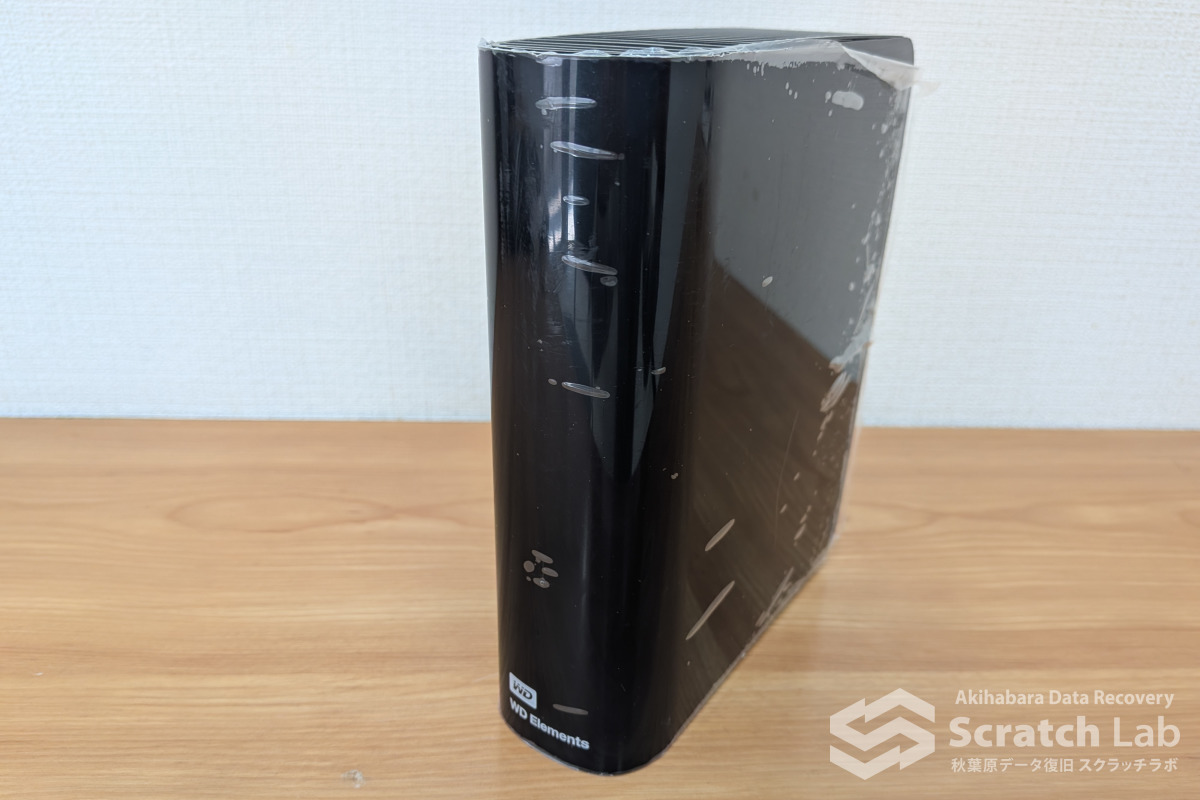
Case Overview
| Item | Details |
|---|---|
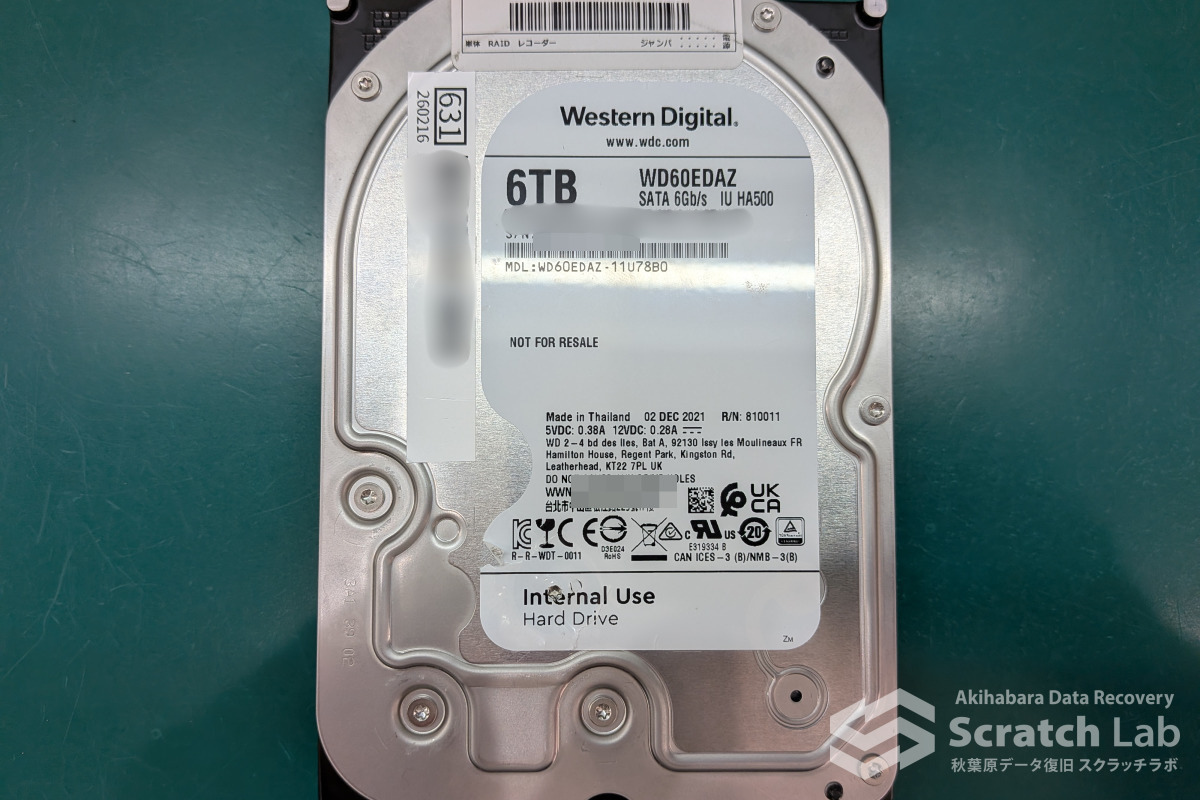
| Recovery target | WD Elements 6 TB WDBBKG0060HBK; internal HDD: WD60EDAZ-11U78B0 |
| Symptoms | Abnormal noise followed by complete loss of detection |
| Diagnosis | Combined head failure and firmware failure |
| Severity | Severe |
Initial Diagnosis and Recovery Process
Internal Inspection and Head Replacement
The drive arrived already opened after another provider had declared it unrecoverable. The customer had declined the first provider’s high quotation; a second provider then concluded that the platters had too many scratches to be read. The drive came to Scratch Lab next—a route we encounter surprisingly often.
Our internal inspection found no damage that met our criteria for a platter-scratch case. This does not mean that another provider made a false or careless diagnosis. Any surface that produces read errors has some degree of imperfection; their assessment may have referred to numerous microscopic defects. The condition simply did not meet our laboratory’s threshold for classifying the drive as having platter scratches and magnetic coating damage.
Testing did confirm failed read/write heads. We replaced the head assembly and attempted to initialize the drive.
The Firmware Barrier
As expected, replacing the heads alone did not allow the drive to initialize. If a straightforward head swap had been sufficient, the previous provider that attempted one would likely have completed the recovery.
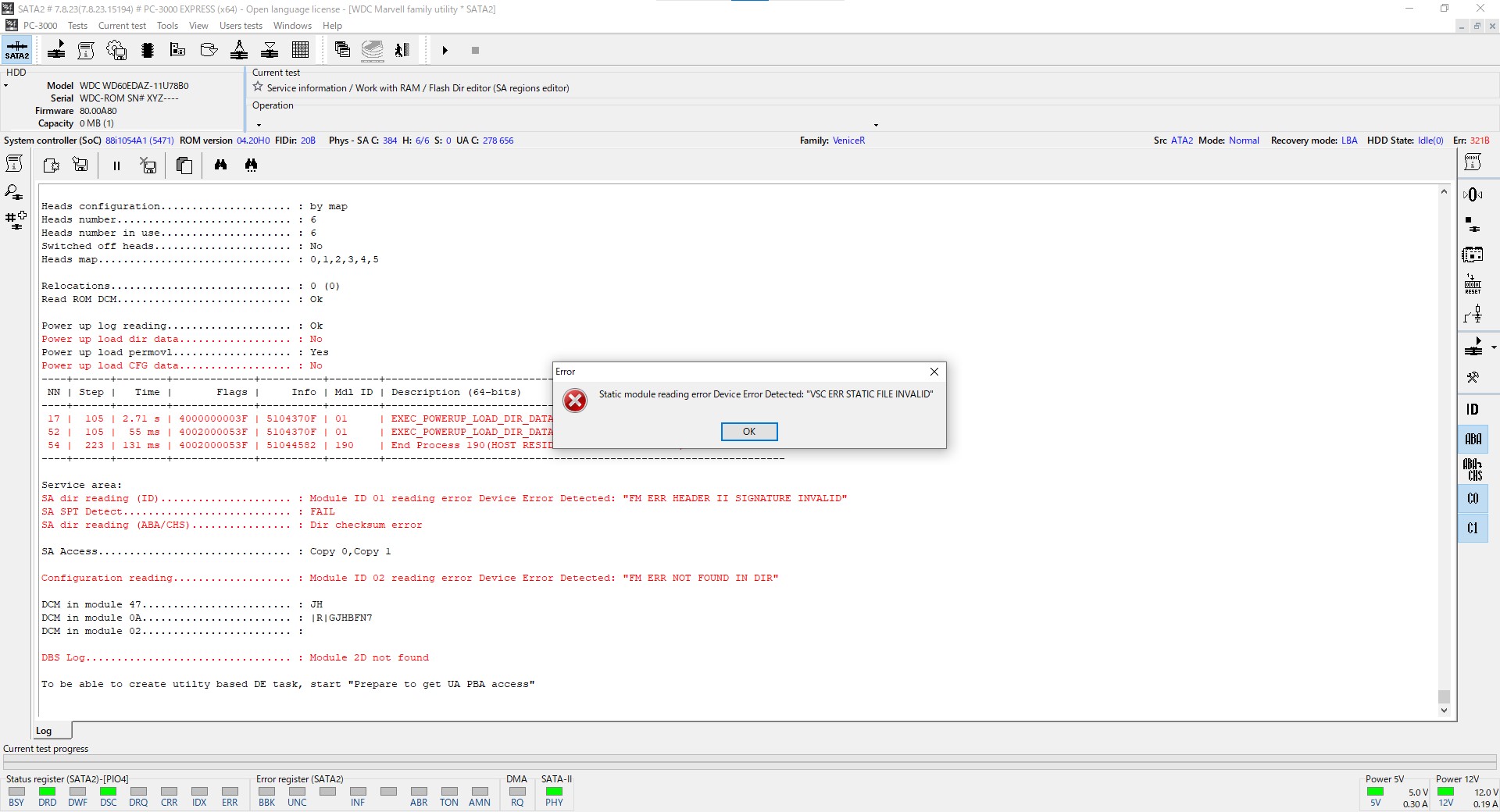
We suspected that degradation in the service area prevented the HDD from loading its firmware correctly. The service area is a reserved part of the platters that stores device firmware and is inaccessible to the operating system and the user.
Whether or not a drive can start normally, one of our first priorities is to back up its service-area firmware. Allowing the HDD to complete its normal initialization can trigger unnecessary internal processing; a damaged drive may also fail partway through startup and stop accepting commands. We therefore halt initialization at a controlled point—conceptually similar to setting a breakpoint during software debugging.
On a Western Digital drive that cannot initialize normally, a recovery engineer can pause at such a breakpoint, modify values in RAM, and guide the HDD into a state where data can be read.
One available intervention is known as SA Block, where SA stands for Service Area or System Area. It prevents normal access to the service area during part of startup. On this drive, however, enabling SA Block and then attempting to disable it in RAM still did not allow us to read the index that records the locations of firmware modules.
That behavior was unexpected. On newer WD models, SA Block can disrupt the firmware module used as the service-area index, but this model and firmware version should not have behaved that way. Further investigation showed that the RAM modification intended to disable SA Block was not taking effect at all.
An identical model with the same firmware version accepted the change normally; this particular HDD did not.
For the immediate purpose of extracting firmware modules, we worked around the issue by setting a breakpoint later in the startup sequence. This allowed us to retrieve the service-area modules. Some could not be read because of degradation and returned errors.
We also discovered that a specific module had already been overwritten. It contained a serial number different from the patient’s original serial number, indicating that a previous provider had copied the module from a donor drive in an attempt to repair it.
We cannot prove the precise causal chain, but our assessment was that this donor-module substitution created an inconsistency among the firmware components and caused the drive to drop out during initialization. Experience with similar drives pointed to that module as the likely source of the conflict.
The HDD also had SED (Self-Encrypting Drive) functionality enabled. An SED automatically encrypts data as it is written and decrypts it as it is read, without requiring the user to manage the process.
This feature also enables very fast secure erasure: deleting the encryption key makes the data on the platters unreadable without overwriting every sector or physically destroying the drive. That is highly convenient during normal operation.
During recovery, however, the situation is more complicated. The automatic decryption works when the HDD initializes normally. If the intervention needed to read sectors prevents that mechanism from operating, the drive exposes only encrypted sector data. In other words, the drive requires a low-level intervention to become readable, but that same altered startup path can prevent transparent decryption.
The case therefore presented three interconnected problems:
- Service-area degradation—and possibly conflicts among firmware components—prevented the drive from reading its firmware and initializing normally.
- Bypassing or repairing that condition required a controlled breakpoint, but the required SA Block state could not be reversed through RAM on this patient drive.
- Even if the second problem were solved, SED encryption would prevent the extracted sectors from being interpreted without an additional decryption process.
Bypassing the Restrictions
We had an established approach for the first problem, although the procedure alone is complex enough for us to classify some otherwise non-invasive firmware cases as severe. We also had experience decrypting SED data.
The second problem was therefore the central obstacle. We ultimately resolved it by downgrading the ROM.
A donor ROM cannot simply be installed as-is because the patient drive contains unique adaptive data. We preserved and transferred the patient-specific content, combined it with the appropriate donor-ROM elements, and applied additional modifications.
The result was successful: SA Block could finally be disabled. With the second obstacle removed, we completed the firmware work needed to address the first and began imaging.
At this stage, the sectors were still being read in encrypted form because of SED. During the ROM work, we also found and repaired corruption in some of the patient-specific ROM data.
Decryption After Imaging
We recovered 99.9% of the sectors in the data-bearing area, although the content remained encrypted.
It may seem impossible to identify the used area of an encrypted disk. This model nevertheless provides enough structural information to narrow the relevant range, allowing us to target the imaging process.
The next step was decryption. This was our first case decrypting SED data from a 3.5-inch Western Digital HDD, although we regularly perform SED decryption on 2.5-inch models such as the WD40NDZW.
It was also the first time we had identified active SED encryption on a 3.5-inch HDD. The customer purchased the drive in 2024, and its relatively recent manufacture may explain why the feature was enabled.
Many of the cases referred to us by other providers arrive as bare internal drives, often after firmware has already been rewritten or modified. If prior work disables SED before the device reaches us, it may no longer be obvious that the original user data was encrypted. In retrospect, we may have encountered earlier 3.5-inch drives whose apparently random sector data was actually encrypted rather than overwritten.
We first attempted the standard procedure used for a WD40NDZW, but it did not work. Focusing on architectural differences between 2.5-inch and 3.5-inch HDDs led us to the solution: decryption on the 3.5-inch WD platform required an additional intervention.
Recovery Result and Engineer’s Notes
Recovery Result
We recovered 99.9% of the sectors in the data-bearing area. After decrypting the image, we reconstructed approximately 110,000 intact files totaling 2.7 TB. Around 700 files totaling 20 GB contained one or more read errors.
Given the combined failures, this was a highly successful recovery.
From the Engineer
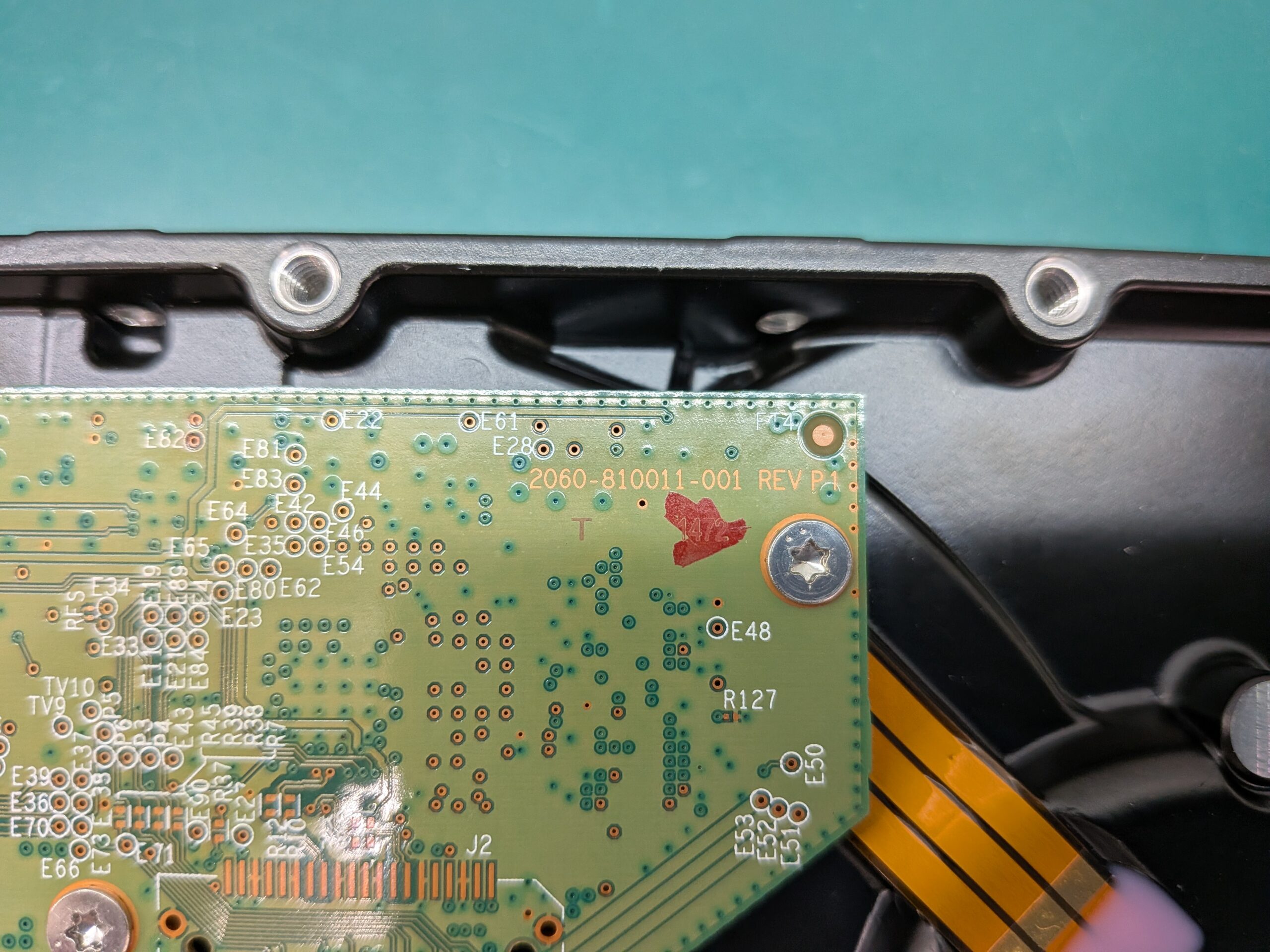
The WD60EDAZ in this case belongs to Western Digital’s VeniceR family. Drives in this family use PCBs with numbers beginning 2060-810011-….
VeniceR drives are difficult in general, but a typical case is not this demanding. This recovery required several genuinely advanced procedures: head replacement, firmware reconstruction, a modified ROM downgrade that preserved adaptive data, imaging through an altered initialization path, and post-imaging SED decryption.
Although the platters were not scratched under our classification, the recovery was technically more difficult than most platter-damage cases involving Seagate ST2000DM001 or ST3000DM001 drives. Future cases with the same combination of problems should be more efficient now that the method has been established.
Most importantly, the customer was very pleased with the recovered data. If you need recovery from a desktop WD Elements drive, contact Scratch Lab for a specialist assessment.
About the Author

A.N
Certified Information Security Specialist. Began career as a technical officer with the National Police Agency, specializing in digital forensics. Recipient of multiple commendations, including the Director of Information and Communications Bureau Award and the Commandant's Award from the NPA Information and Communications School.
Subsequently joined a major data recovery firm before moving to FIX Inc., where he handles the full recovery workflow — from logical to physical failures — across HDD, SSD, flash memory, and RAID systems. His specialty is severe physical damage to HDDs; he manages nearly 100 scratch damage cases annually, successfully recovering data in the majority of them.