
Data Recovery from a Water-Damaged Samsung MZ-NLH2560 SSD
Case Studies
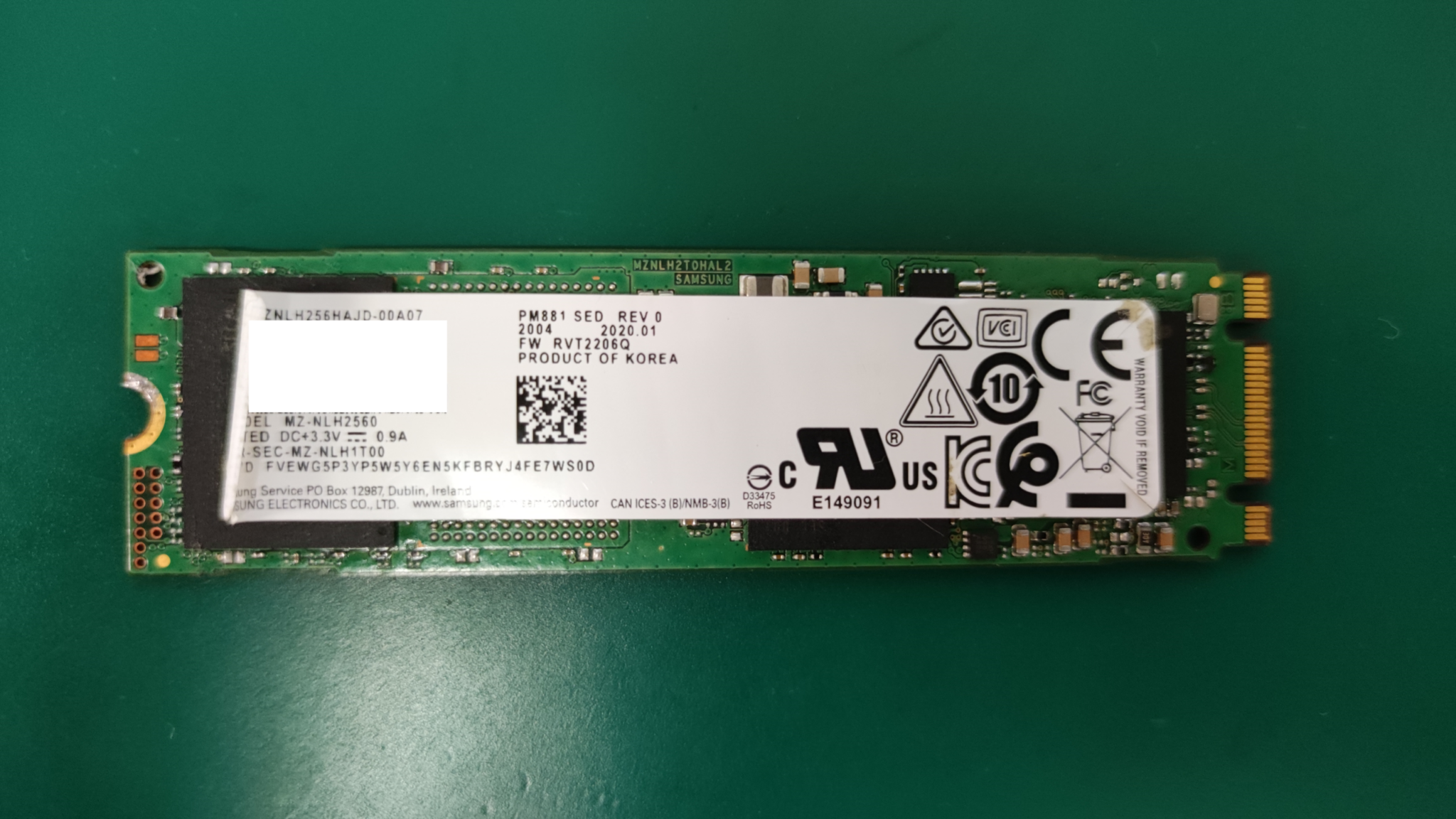
This case involved a Samsung MZ-NLH2560 SSD with a failed circuit caused by liquid exposure.
Severe Physical Damage Previously Declared Unrecoverable (April 2024)
Symptoms and Diagnosis
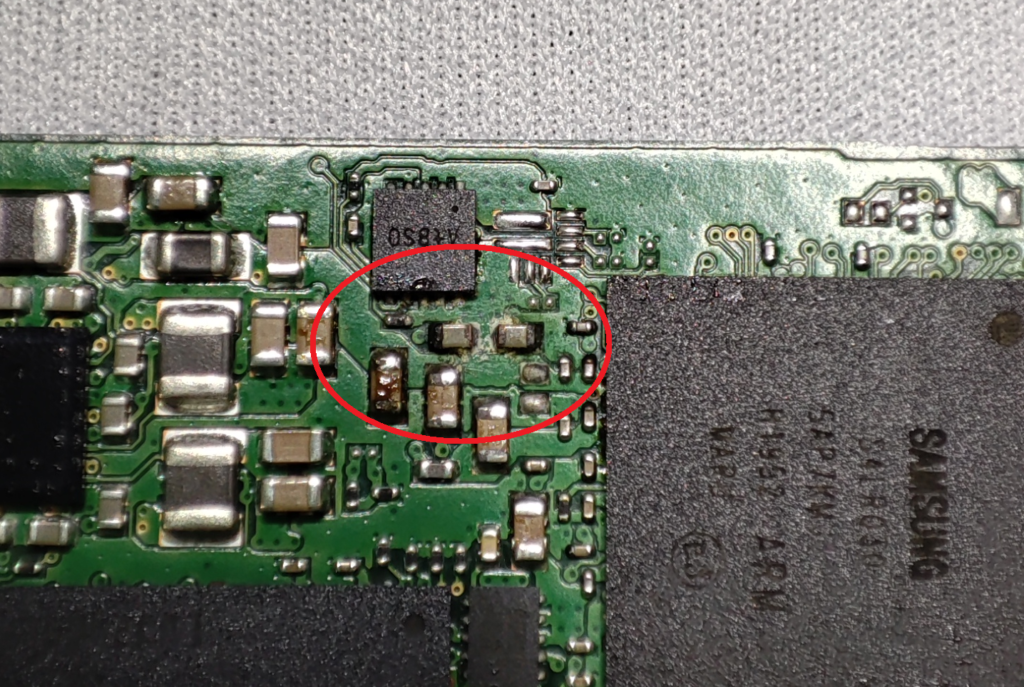
The SSD was not detected. Inspection revealed corrosion, confirming a circuit failure. Under our classification system, this constituted severe physical damage to the SSD.
Turnaround Time
Approximately one month
Recovery Result
We recovered approximately 200 GB of intact data, totaling around 500,000 files. No I/O errors remained, resulting in a complete recovery.
Recovery Process
The areas outlined in red in the photograph show corrosion and crystallized salt deposits. Deposits like these can bridge circuits that should be electrically isolated, causing short circuits and preventing the SSD from starting normally.
We first placed the entire SSD in an ultrasonic cleaner. After removing the salt deposits, we carefully checked the board with a multimeter for any remaining short circuits.
No obvious shorts were found, and the expected supply voltages—2.5 V, 1.8 V, and 1.2 V—were present around the NAND flash packages. Nevertheless, the SSD was still not detected.
When we started the SSD in safe mode, however, the device was recognized. An SSD consists primarily of NAND flash memory, which stores the data, and a controller, which manages input and output. Safe mode starts the controller while disabling its connection to the NAND flash. On this device, the mode could be triggered by shorting specific pins during power-on. Because the NAND remains disabled, safe mode does not normally provide access to user data.
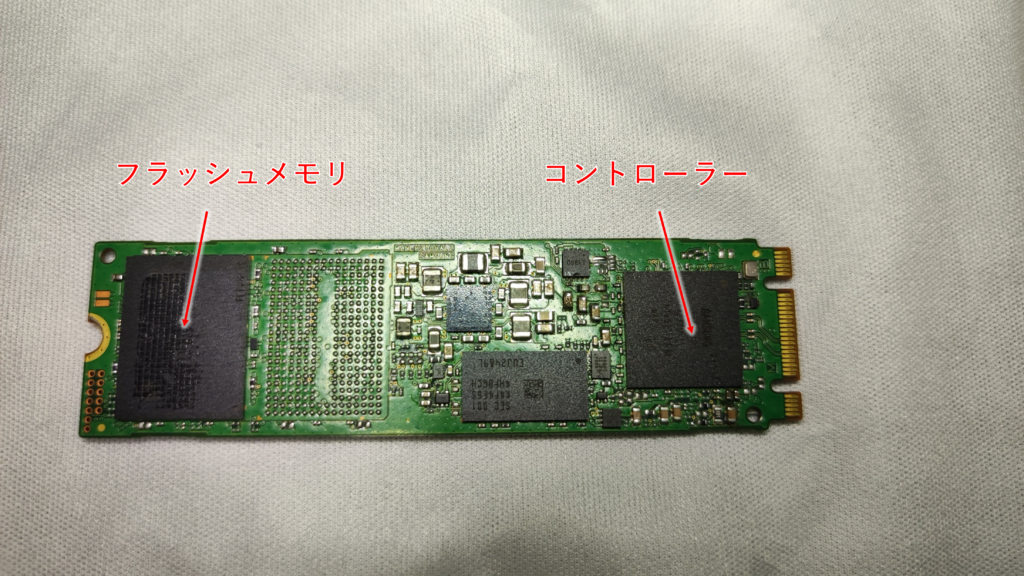
The fact that the SSD was detected in safe mode suggested that the circuit path from the SSD connector to the controller was functioning correctly. That pointed to a possible fault between the controller and the NAND flash.
After considering the possibilities, we decided to remove the controller chip from the PCB. Salt deposits could have accumulated beneath it, although removing a BGA controller is always a high-risk step.
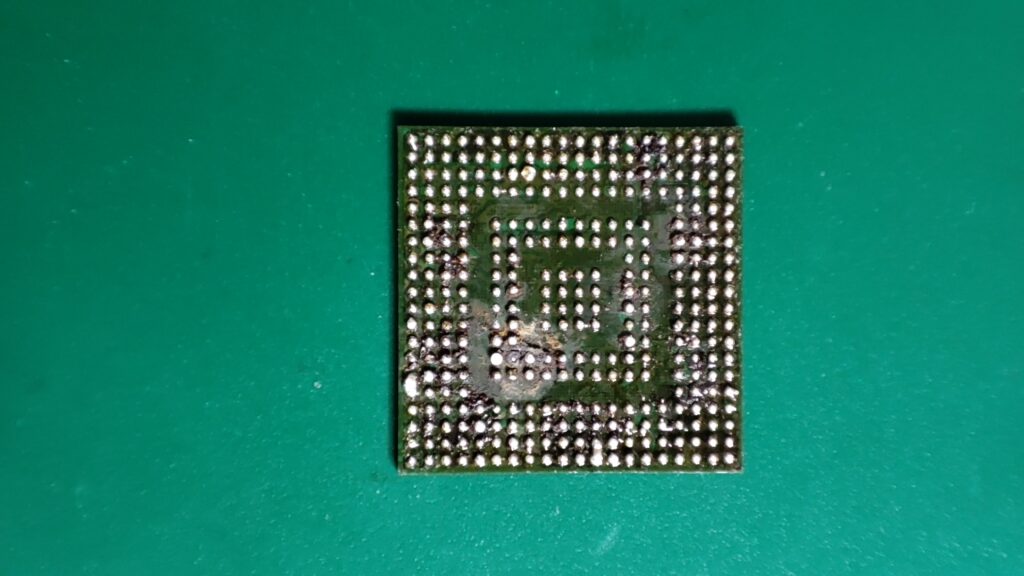
Once the controller was removed, we found extensive contamination underneath it. Corrosion was especially severe toward the lower-left side of the two central rows. The ultrasonic cleaning solution had evidently been unable to reach the area beneath the package.
We cleaned the controller chip. Removing it had also distorted or joined some of the solder balls, so the old solder had to be removed and a new array of solder balls applied. This process is known as BGA reballing.
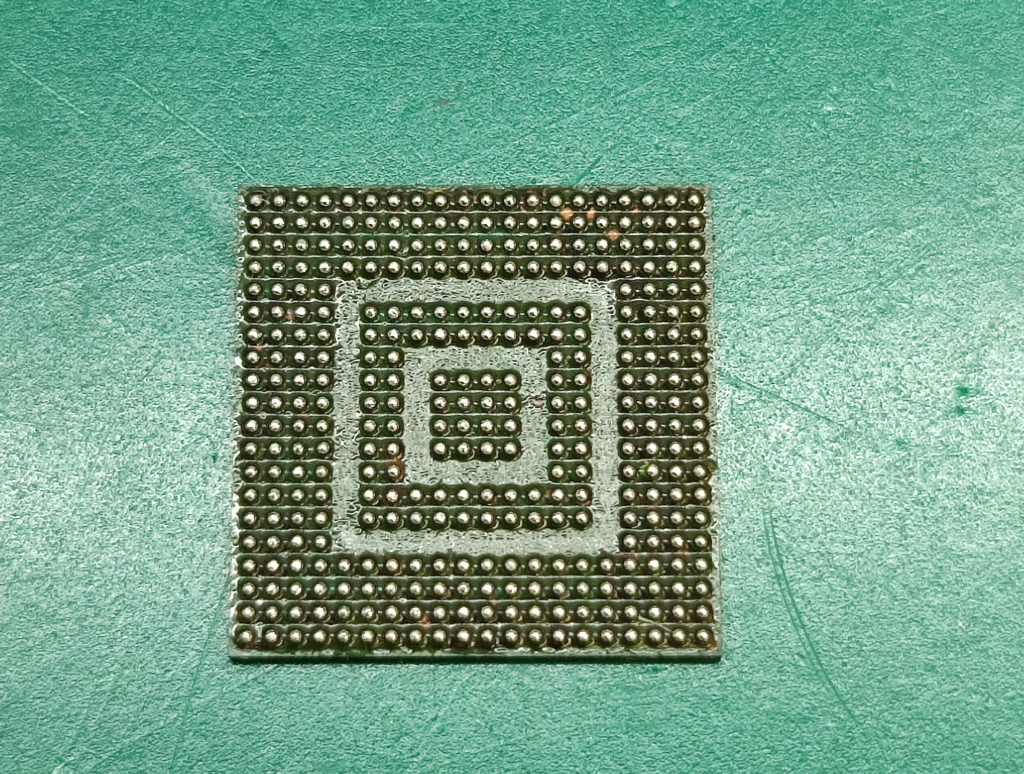
Corrosion had stripped away a small amount of the green solder mask, but we reinstalled the cleaned and reballed controller on the PCB.
The result: the SSD was detected successfully.
Data extraction then completed smoothly with no I/O errors, allowing us to achieve a full recovery.
If you need help with a liquid-damaged SSD, contact Scratch Lab. Our in-house capabilities include component-level work and BGA reballing.
About the Author

A.N
Certified Information Security Specialist. Began career as a technical officer with the National Police Agency, specializing in digital forensics. Recipient of multiple commendations, including the Director of Information and Communications Bureau Award and the Commandant's Award from the NPA Information and Communications School.
Subsequently joined a major data recovery firm before moving to FIX Inc., where he handles the full recovery workflow — from logical to physical failures — across HDD, SSD, flash memory, and RAID systems. His specialty is severe physical damage to HDDs; he manages nearly 100 scratch damage cases annually, successfully recovering data in the majority of them.