
Data Recovery from a Toshiba DT01ACA300 with Extreme Platter Damage
Case Studies
Case Summary
Symptoms and Diagnosis
The drive was not detected and produced abnormal head noises. After opening it in a controlled environment, we confirmed platter scratches and magnetic coating damage.
Turnaround Time
Approximately two months
Recovery Result
Approximately 170 GB of intact files recovered
Recovery Process
During the initial power-on test, the HDD produced a repeated clicking sound. This type of noise often indicates that the platters—the disks on which an HDD stores data—may have been damaged.
Inspection confirmed scratches on the platters. In fact, every recording surface was affected.
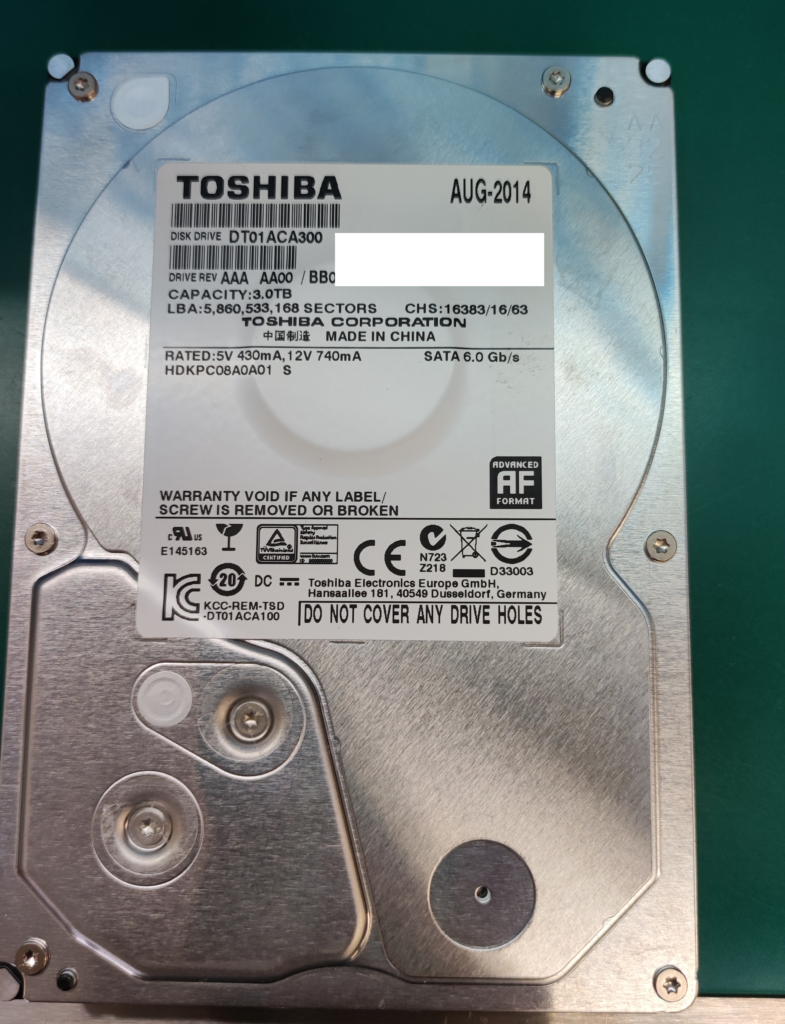
Seagate’s ST2000DM001 and ST3000DM001 are notorious in the recovery industry, but in our experience the Toshiba DT01ACA300 is not far behind in its incidence of platter damage and other severe physical failures.
We did not retain many photographs from the moment the drive was first opened, but the following images show several internal components from this case.
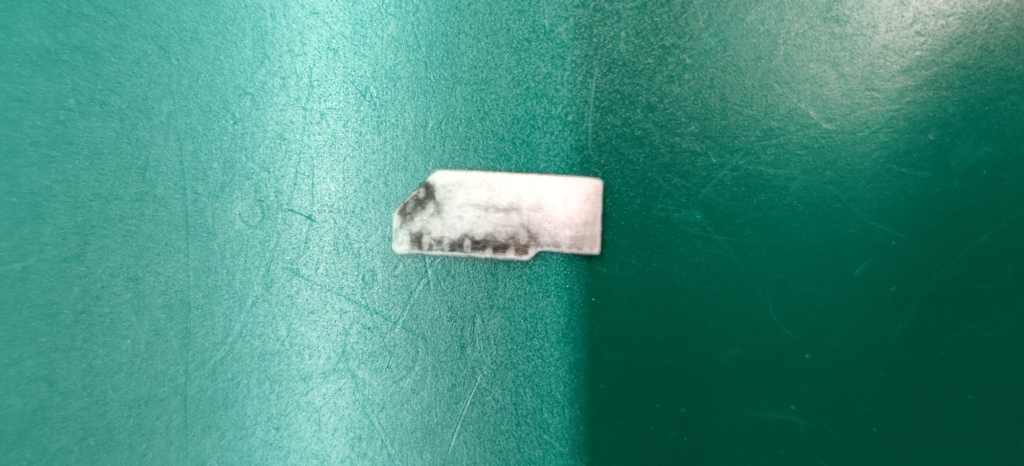
The filter was heavily blackened. This material is debris created when the heads contact and gouge the platter surface. Its condition indicated the severity of the damage.
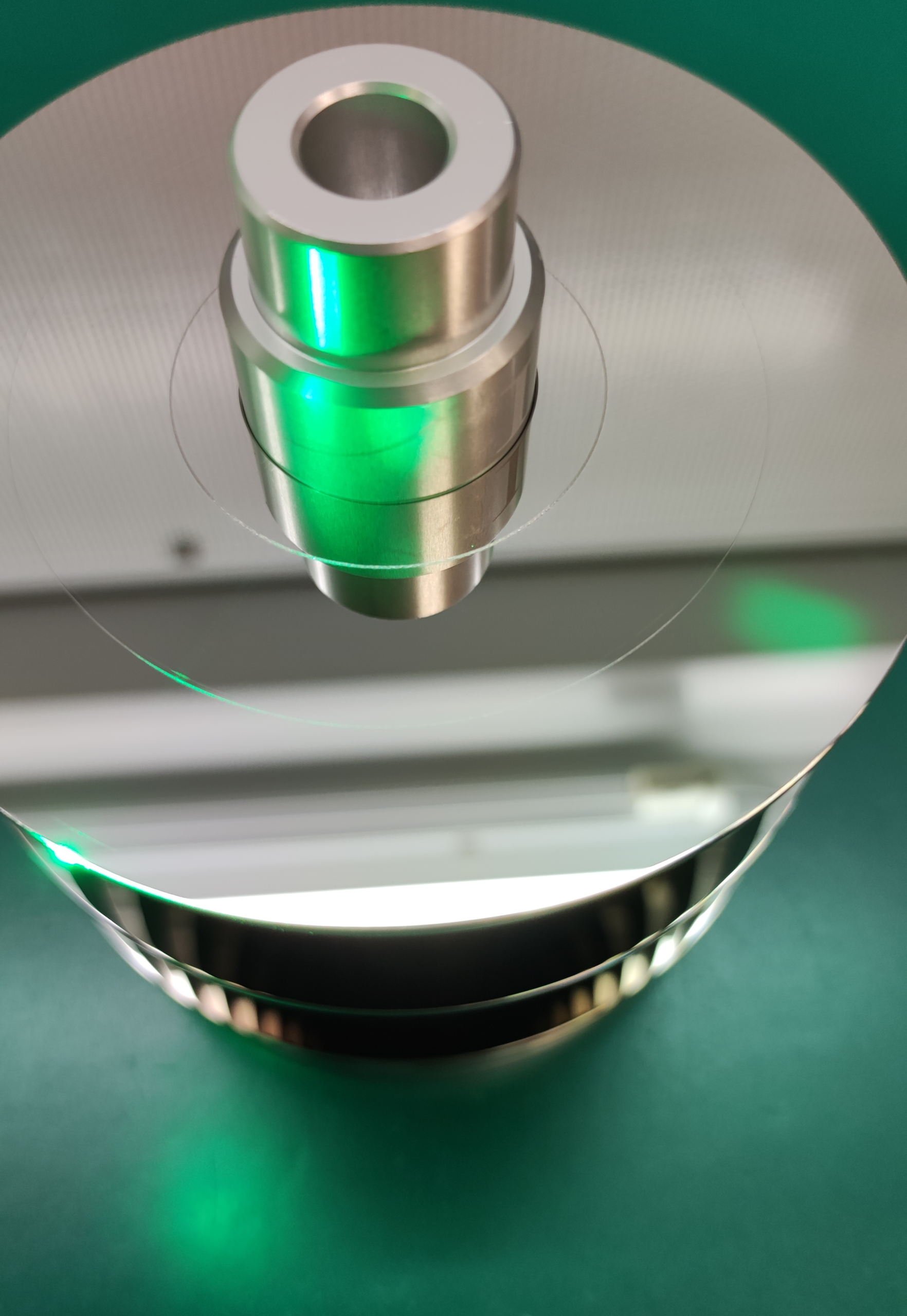
The drive contains three platters, with both sides of each used for data storage, giving a total of six recording surfaces. The featured image shows the uppermost surface. Clear circular scratches are visible near the inner area and the middle of the platter.
The remaining surfaces looked like this:
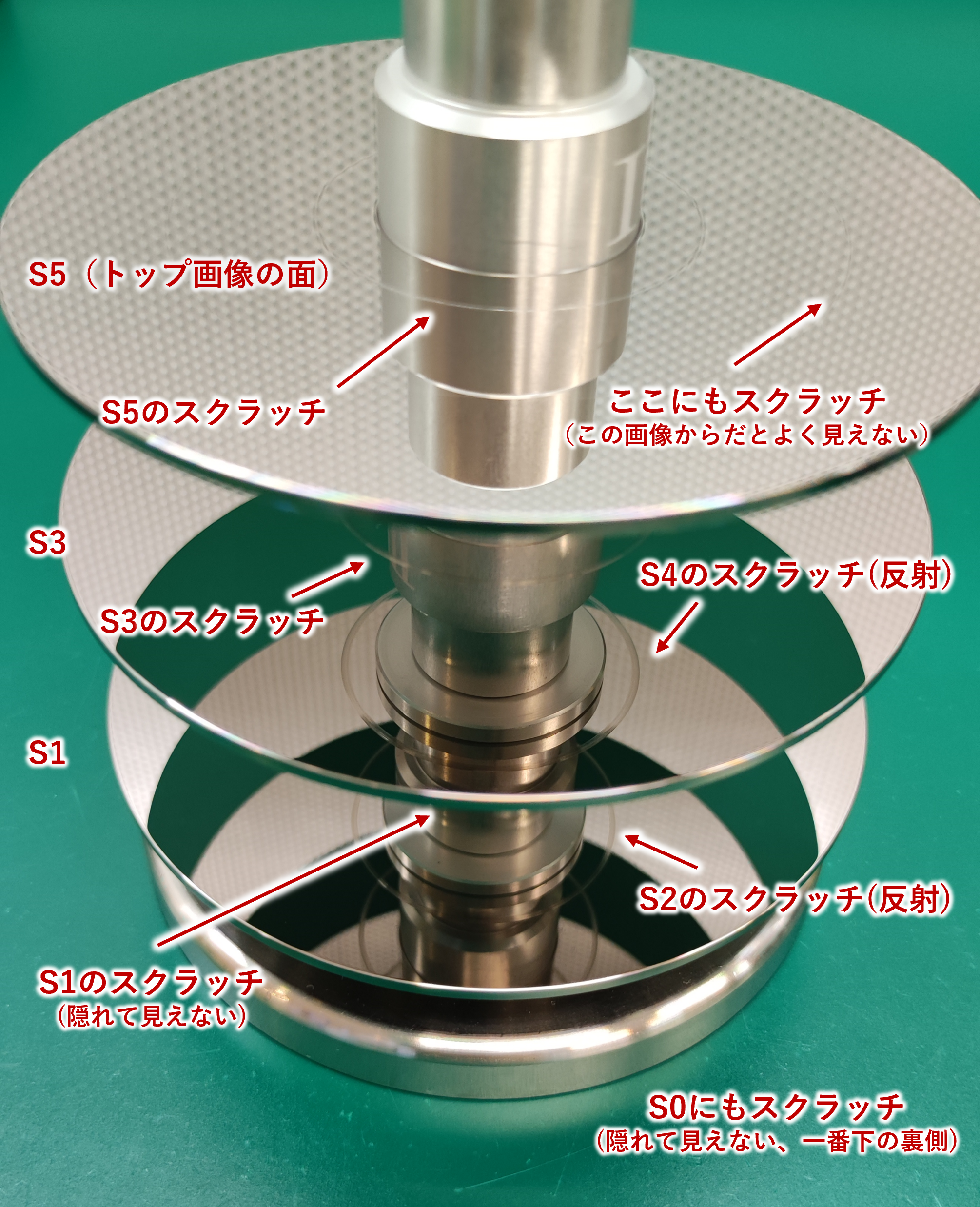
The labels S5, S4, and so on down to S0 identify the surfaces from top to bottom. S5 is the upper surface of the top platter; S0 is the underside of the bottom platter.
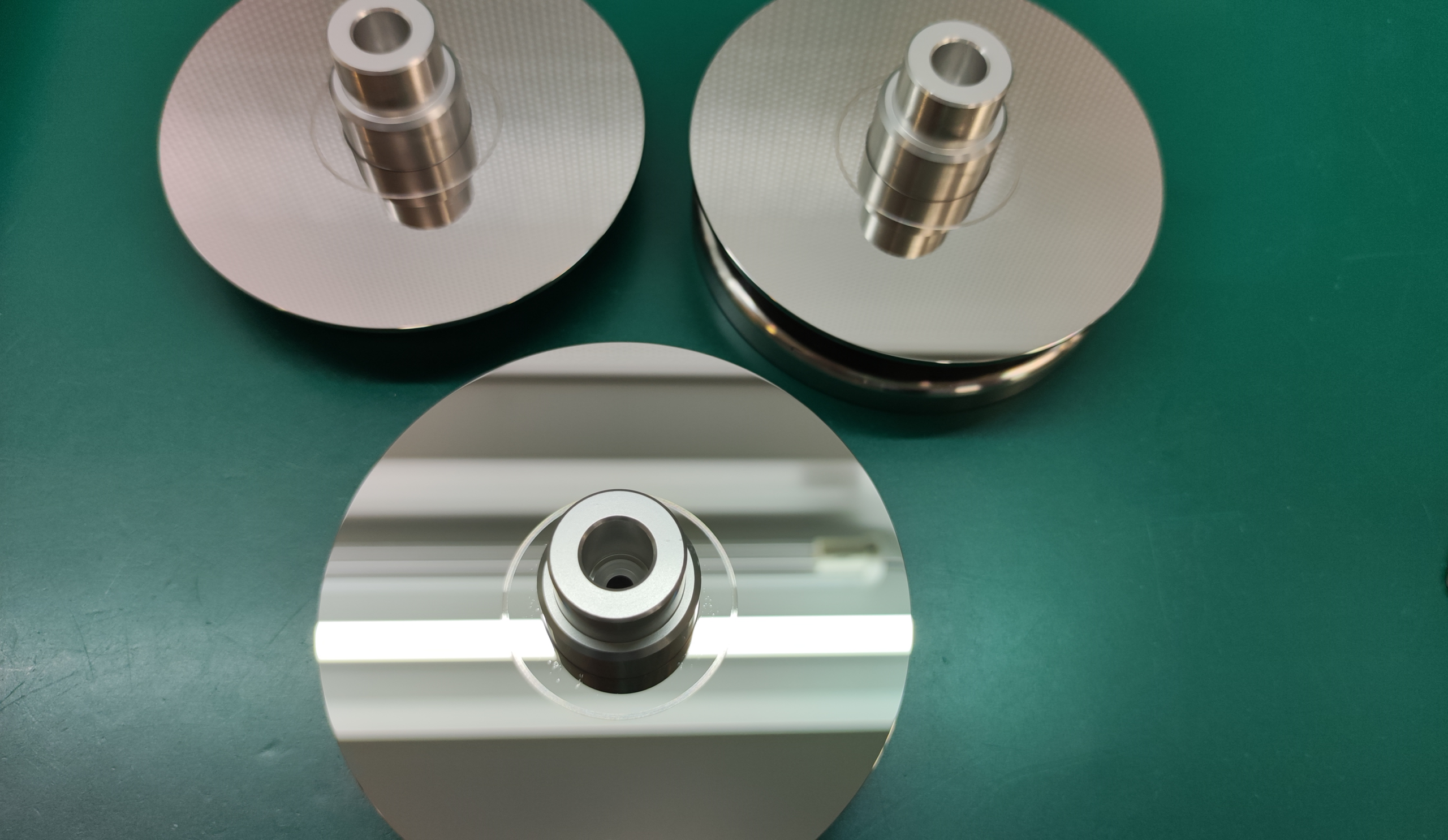
This scratch was even more pronounced than the one in the featured image and measured more than 1 mm across. A conventional head replacement would not have solved the problem: contact with a defect this large would have disabled the replacement heads almost immediately.
Fine scratches that were difficult to capture in the photographs were also spread across the surfaces. We seriously considered declaring the drive unrecoverable, as most engineers would when faced with this condition. We ultimately decided that a recovery attempt was still technically possible and proceeded with every measure available to us.
As in any platter-scratch case, we began by cleaning the media. The recording surfaces were contaminated with debris from the damaged magnetic coating. If this step were skipped, the debris would adhere to the heads and degrade their performance even before they reached a visibly scratched area. Loose debris could also create additional scratches, making the condition substantially worse.
The standard approach is to exclude the damaged surface and image the remaining surfaces. That was not an option here because all six were scratched. The essential goal was therefore to control head movement so that the heads would not cross the most destructive areas.
While avoiding those areas, we accessed the HDD’s service area, where its firmware is stored. This region had also been affected. Errors were present in a critical firmware component known as PSHT (the P-list).
The P-list records primary media defects and is essential to the translation that maps the HDD’s physical recording locations to the logical storage area visible to the operating system. It contains drive-specific parameters and cannot simply be copied from another HDD.
For technically oriented readers: the addresses exposed to the host are LBAs, or Logical Block Addresses. They sit one layer above the drive’s internal physical addresses. The P-list is one of the parameters used to translate physical locations into logical addresses. It is unique to each drive and is recorded during manufacturing.
The service area contains redundant copies of firmware data. We extracted corresponding copies, compared them, and used the valid data to fill unreadable blocks. Even after that process, some portions could not be repaired. Fortunately, the P-lists used by this model contain recurring structural patterns, which made partial reconstruction more practical than it would be on some other drives.
After repairing the firmware as far as possible, we began imaging.
Progress was extremely slow because of persistent read errors. Fortunately, we recovered almost all of the file-system metadata—the information describing file names, sizes, timestamps, and locations rather than the file content itself. This allowed us to target the parts of the 3 TB drive that actually contained required data.
Even with that advantage, imaging took two months. We repeatedly adjusted read parameters to maximize the amount recovered. In the end, we obtained approximately 55% of the sectors in the data-bearing area.
We had expected a higher percentage before imaging began, but the damage proved worse than anticipated. Replacing the heads did little to eliminate the errors, which remained scattered throughout the image. Fine scratches visible during direct inspection were evidently more severe than they first appeared and caused repeated read failures.
Fewer than half of the extracted files were completely free of errors—roughly one-fifth of all the data originally stored on the drive. Given the time invested, this was not the ideal technical result.
The outcome was nevertheless meaningful: the customer’s most important data was among the files recovered, and a substantial number of partially damaged files could still be opened. The customer therefore chose to proceed with delivery.
Some customers need every file to be completely intact, while others find genuine value in recovering usable material even when some data is missing. A perfect recovery is always the goal, but severe physical damage sometimes makes that impossible. In such cases, we work to maximize the usable result and give the customer clear information on which to base a decision.
One final technical note: although the DT01ACA300 is labeled and sold as a Toshiba drive, its firmware architecture and internal design derive from Hitachi. The ROM itself contains the Hitachi name, so data-recovery engineers generally classify the model with Hitachi-family drives. Later models such as the DT02ABA400 and DT02ABA600 use Toshiba’s own internal architecture.
If your HDD has severe platter damage, stop powering it on and contact Scratch Lab. Every additional spin can extend the damage and reduce the amount of data that remains recoverable.
About the Author

A.N
Certified Information Security Specialist. Began career as a technical officer with the National Police Agency, specializing in digital forensics. Recipient of multiple commendations, including the Director of Information and Communications Bureau Award and the Commandant's Award from the NPA Information and Communications School.
Subsequently joined a major data recovery firm before moving to FIX Inc., where he handles the full recovery workflow — from logical to physical failures — across HDD, SSD, flash memory, and RAID systems. His specialty is severe physical damage to HDDs; he manages nearly 100 scratch damage cases annually, successfully recovering data in the majority of them.